The easiest website project to sell is a complete rebuild.
A new platform. A new visual identity. A cleaner structure. Faster pages. Better mobile performance. Stronger SEO. More conversions.
Everything starts again, and everything is supposedly fixed at once.
For an agency, that can become a large and clearly defined project. For the client, it can feel decisive. Instead of discussing ten smaller problems, both sides can point towards one future launch date.
Sometimes that is exactly what a business needs.
Often, it is not.
Many small-business websites do not fail because the entire technical foundation is unusable. They fail because a few important parts of the customer journey are unclear, incomplete, outdated or broken.
The menu is unreadable on a phone.
The Dutch version stops halfway through the site.
The contact form sends no confirmation.
The address is difficult to find.
The reservation button opens the wrong location.
The homepage looks old, but the actual commercial problem sits three clicks deeper.
Replacing everything may solve those issues. It may also create new ones, cost far more than necessary and delay improvements that could have been made this week.
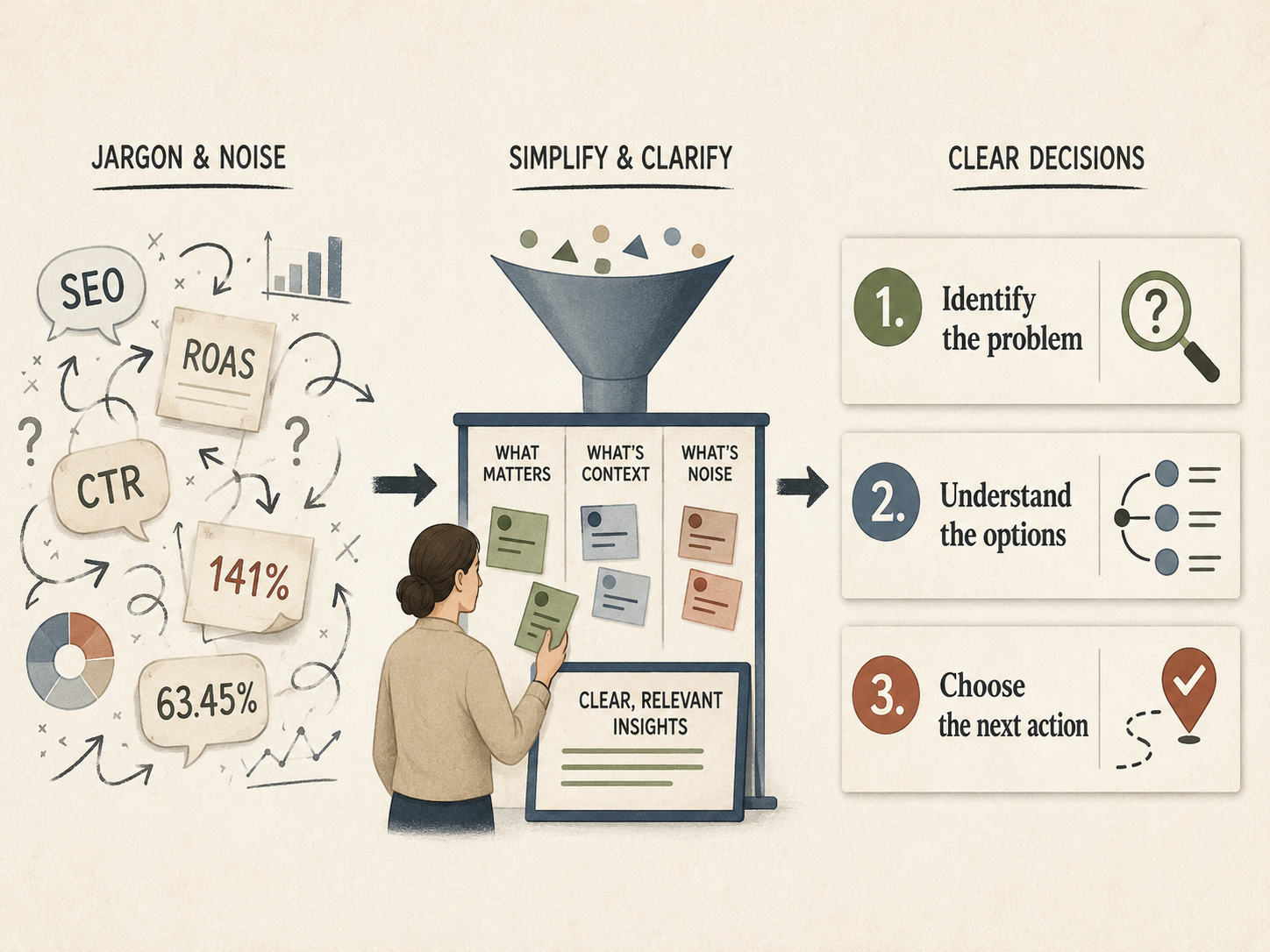
Before a business commits to a full rebuild, it should first identify what is actually broken.
If that distinction is unclear, Vayluna offers a visitor-view website quality audit designed to determine what the website actually needs before recommending a repair, redesign, restructure or full rebuild.
A redesign, rebuild and repair are not the same project
Website discussions often use different terms as if they mean the same thing.
They do not.
A repair
A repair corrects a specific problem without changing the wider system.
Examples include fixing a broken form, improving mobile navigation, completing a translation, correcting opening hours, compressing oversized images or repairing a reservation link.
A restructure
A restructure changes how information is organised.
Pages may be renamed, combined, split or reordered. The navigation and customer journey improve, while the underlying platform and much of the design remain intact.
A redesign
A redesign changes how the site looks and often how components behave.
Typography, colours, spacing, page layouts and visual hierarchy may be rebuilt while the content model, URLs and platform remain largely unchanged.
A rebuild
A rebuild recreates substantial parts of the website’s technical implementation.
Templates, components, content structures, integrations and sometimes URLs are replaced. The project may stay on the same platform or move to another one.
A replatforming
A replatforming moves the site to a different technical system: for example, from WordPress to Webflow, from a custom store to Shopify or from an outdated proprietary CMS to a modern managed platform.
These projects can overlap.
But treating every visible weakness as evidence that all five are required is a costly mistake.
Start with the failed customer journey
A website should be assessed from the point of view of the person trying to use it.
That sounds obvious. In practice, many audits begin elsewhere:
- the theme looks dated;
- the technology is unfashionable;
- a competitor has a more modern homepage;
- the agency prefers another platform;
- the owner is tired of the current design.
Those observations may matter.
They do not yet define the problem.
The better starting point is to identify the journey that fails.
For a restaurant, that journey may be:
- Find the correct location.
- Understand the concept and menu.
- Check opening hours.
- Reserve a table.
For a service business:
- Understand the service.
- Decide whether it fits the problem.
- Find evidence and pricing context.
- Submit an enquiry.
For a webshop:
- Find the right product.
- Understand the offer and delivery conditions.
- Select a variant.
- Complete checkout.
A business does not automatically need a new website because one of those journeys fails.
It needs the failure diagnosed.
Many high-value improvements are small
Some of the most commercially useful website changes do not require a new design system, platform migration or six-month project.
Complete the language version
A multilingual website may already contain the correct technical structure while leaving important pages, menus, forms or messages untranslated.
Completing the customer journey in one language may create more value than redesigning the homepage in all of them.
This is one of the questions behind Vayluna’s developing Brussels Project: not whether every local business needs an elaborate multilingual platform, but whether avoidable gaps make it harder for part of the real audience to act.
Clarify the location
Businesses with several locations often make visitors work too hard to understand which page, menu, telephone number or reservation link applies.
A dedicated location page with a clear address, opening hours, map, contact details and location-specific action may solve the problem.
Fix the mobile experience
Responsive design is intended to make pages render and remain usable across screen sizes and devices. A site does not need a new brand identity because its menu overlaps the page on a phone. It may need its navigation, layout or oversized media corrected. (MDN)
Repair the conversion point
A beautiful website with a broken form is weaker than a dated website whose enquiry process works.
The relevant fix may be:
- improving form validation;
- adding a clear confirmation;
- repairing email delivery;
- simplifying required fields;
- making the telephone number clickable;
- connecting the correct calendar or reservation system.
Improve performance where it matters
Web performance affects the real user experience, and Core Web Vitals focus on loading, responsiveness and visual stability. But performance work should be diagnosed rather than reduced to “replace the whole site”. Removing unnecessary scripts, optimising images or fixing one heavy template may be enough. (web.dev)
Correct content that no longer matches the business
A website can look technically healthy while presenting old services, unclear pricing, obsolete team members or claims that no longer reflect reality.
That is a content and governance problem.
A rebuild may simply move the outdated information into a more attractive template.
A full rebuild has hidden costs
The quoted price is only one part of a rebuild.
A functioning website contains accumulated decisions and connections that may not be visible on the homepage:
- indexed URLs;
- redirects;
- analytics and conversion events;
- contact forms;
- CRM connections;
- reservation tools;
- payment systems;
- multilingual content;
- legal pages;
- email notifications;
- downloadable files;
- structured data;
- user permissions;
- domain and hosting settings;
- internal workflows known by the people maintaining the site.
Replacing the visible interface without mapping those dependencies creates risk.
Search visibility must be migrated
When URLs change, old pages need accurate mappings and appropriate redirects. Google’s site-migration guidance stresses planning URL mappings and minimizing negative impact on search visibility. A rebuild that casually replaces page paths can lose accumulated search signals and send visitors to errors. (Google Search Central)
Content must be reviewed, not merely copied
Moving every existing page can preserve clutter.
Rewriting everything can remove valuable detail.
A proper migration requires deciding what remains, what changes, what disappears and what should redirect elsewhere.
Tracking can silently break
A new site may launch successfully while contact submissions, ecommerce purchases or booking events stop reaching analytics and advertising platforms.
The design appears finished.
The measurement system is not.
The team must learn the new system
A platform can be technically superior and operationally worse when the business cannot update it without external help.
Ease of maintenance is not a minor post-launch consideration. It is part of whether the website remains useful.
New systems create new dependencies
A rebuild can reduce technical debt.
It can also introduce paid plugins, proprietary components, agency-only workflows or integrations that nobody documents properly.
“Modern” is not the same as maintainable.
When a full rebuild is justified
Arguing against unnecessary rebuilds does not mean defending every old website.
Some sites genuinely need to be replaced.
A full rebuild becomes reasonable when several of the following conditions are present.
The platform is unsupported or insecure
The underlying system no longer receives updates, relies on abandoned extensions or cannot be maintained without unacceptable security risk.
Small visual repairs do not solve an unsafe foundation.
Basic changes have become disproportionately difficult
When editing opening hours, adding a language, changing navigation or creating a landing page requires fragile code changes, the system may be working against the business.
The architecture no longer matches the organisation
A business that grew from one service to several markets, locations or product lines may have outgrown the original content structure.
Repeated patches can become more expensive than rebuilding around the current reality.
Critical integrations cannot be supported reliably
The website may need dependable ecommerce, booking, membership, authentication, inventory or CRM functions that the existing system cannot provide without unstable workarounds.
Ownership and access are unclear
A business may not control its hosting, source code, domain settings, data or administrator accounts.
Rebuilding can be part of restoring operational control, although ownership should be clarified before the new project begins.
Performance and accessibility problems are structural
Accessibility is not a decorative extra. W3C’s Web Accessibility Initiative provides standards and resources for making web content usable by people with disabilities. When inaccessible patterns are embedded across every template and component, a systematic rebuild may be more responsible than endless local fixes. (W3C WAI)
The cost of continued repair exceeds replacement
A rebuild becomes rational when recurring repair work, platform limitations and lost opportunities are likely to cost more than a controlled replacement.
That conclusion should follow evidence.
It should not be the opening assumption.
The homepage is a poor diagnostic tool
Small-business website discussions often focus almost entirely on the homepage.
It is the easiest page to show in a sales presentation. It carries the largest visual impression and produces the most dramatic before-and-after comparison.
It is also not always where the customer journey fails.
Visitors may enter through:
- a product page;
- a restaurant location page;
- a service page;
- a Google Business Profile link;
- an article;
- a campaign landing page;
- a reservation page;
- a translated page found through search.
A homepage redesign can improve the brand while leaving every practical failure untouched.
Before approving a rebuild, inspect the actual entry pages and conversion paths.
The most important problem may be invisible in the proposed mock-up.
A better audit produces proportional recommendations
A useful website audit should not begin with a predetermined service.
It should separate observation, consequence and recommendation.
Observation
What can be demonstrated?
For example:
- the selected language disappears on the reservation page;
- the mobile menu covers the booking button;
- two pages show different opening hours;
- the contact form submits but no confirmation arrives;
- an old URL ranks in search and leads to a 404 page.
Consequence
Why could that matter?
- part of the audience may not complete the journey;
- customers may arrive at the wrong time;
- enquiries may be lost;
- paid traffic may land on a broken page;
- the business may be unable to measure results.
Recommendation
What is the smallest credible intervention?
- complete the translation;
- correct the responsive layout;
- establish one source of truth for opening hours;
- repair form delivery;
- implement a redirect;
- restructure one section;
- redesign a template;
- rebuild the full system.
A credible audit can conclude that the website does not need a large project.
That does not make the audit less valuable.
It makes it more trustworthy.
How Vayluna can help determine what your website needs
Vayluna’s visitor-view website quality audit starts with the experience of a real visitor rather than with a service we want to sell. We review whether the offer is clear, whether important information can be found, whether the site creates trust, how it behaves on mobile and whether the next action is obvious.
The outcome is a prioritised explanation of what appears to be working, what creates friction and which intervention is proportionate. That may be a focused repair, better content, a clearer structure, a redesigned template or a full rebuild. It may also be that the website does not currently justify a large project.
The purpose is to help the owner understand the decision before paying for the implementation. View Vayluna’s services and website audit.
Fix first, then measure
A staged approach reduces risk.
- Identify the failed journey.
- Record the current evidence.
- Correct the highest-impact issue.
- Test the complete action.
- Measure whether the outcome improves.
- Decide whether deeper work is still justified.
This sequence does not prevent a later rebuild.
It makes the rebuild better informed.
A restaurant that first corrects its language and reservation flow may discover that the existing platform is adequate. It may also discover that every correction exposes another structural limitation.
Both are useful findings.
The difference is that the eventual decision is based on operating evidence rather than aesthetic fatigue.
How this affects the work we want to do at Vayluna
Vayluna is developing tools and workflows to identify genuine digital opportunities, beginning with the Brussels Project and the Vayluna Prospect Engine.
That creates a temptation we need to resist.
When a system is built to find website problems, every scanned business can begin to look like a potential rebuild.
That would turn the tool into a sales filter rather than an analytical one.
The engine should be capable of finding:
- a missing translation;
- an unclear location;
- an outdated page;
- a broken mobile action;
- a weak information structure;
- a genuine need for a full rebuild;
- or no meaningful opportunity at all.
A proportionate solution may be a small correction, a focused multilingual section, a redesigned template, an improved workflow or a complete new website.
The tool should help distinguish them.
Human review remains essential because a technical imperfection is not automatically a business problem, and a business problem is not automatically worth solving through a website project.
The goal is not to preserve an old website
“Do not rebuild too quickly” can be misread as an argument for keeping outdated systems alive indefinitely.
That is not the point.
The goal is not to protect the existing website.
The goal is to protect the business from solving the wrong problem.
Sometimes the right answer is a new site.
Sometimes it is one repaired form.
Sometimes it is finishing the Dutch and English versions that already exist.
Sometimes it is replacing a platform that has become impossible to own or maintain.
The scale of the intervention should follow the scale of the evidence.
A full rebuild is not a strategy.
It is one possible implementation decision.
Before a small business starts again, it should understand what the current website failed to do—and make sure the new one is actually designed to do it.
Sources and further reading
- Google Search Central — Site moves and migrations
- Google Search Central — Redirects and Google Search
- web.dev — Web performance
- MDN Web Docs — Responsive web design
- W3C Web Accessibility Initiative — WCAG overview
- Vayluna — How to Use AI to Build a Website or Online Store
- Vayluna — Visitor-view website quality audit